Setting Up Connectors
Connect your data sources (CRM, ERP, etc.) to Worqlo so users can access their business data through conversations.
Viewing Connectors
- Click Connectors in the left sidebar
- You’ll see all available connectors and their status
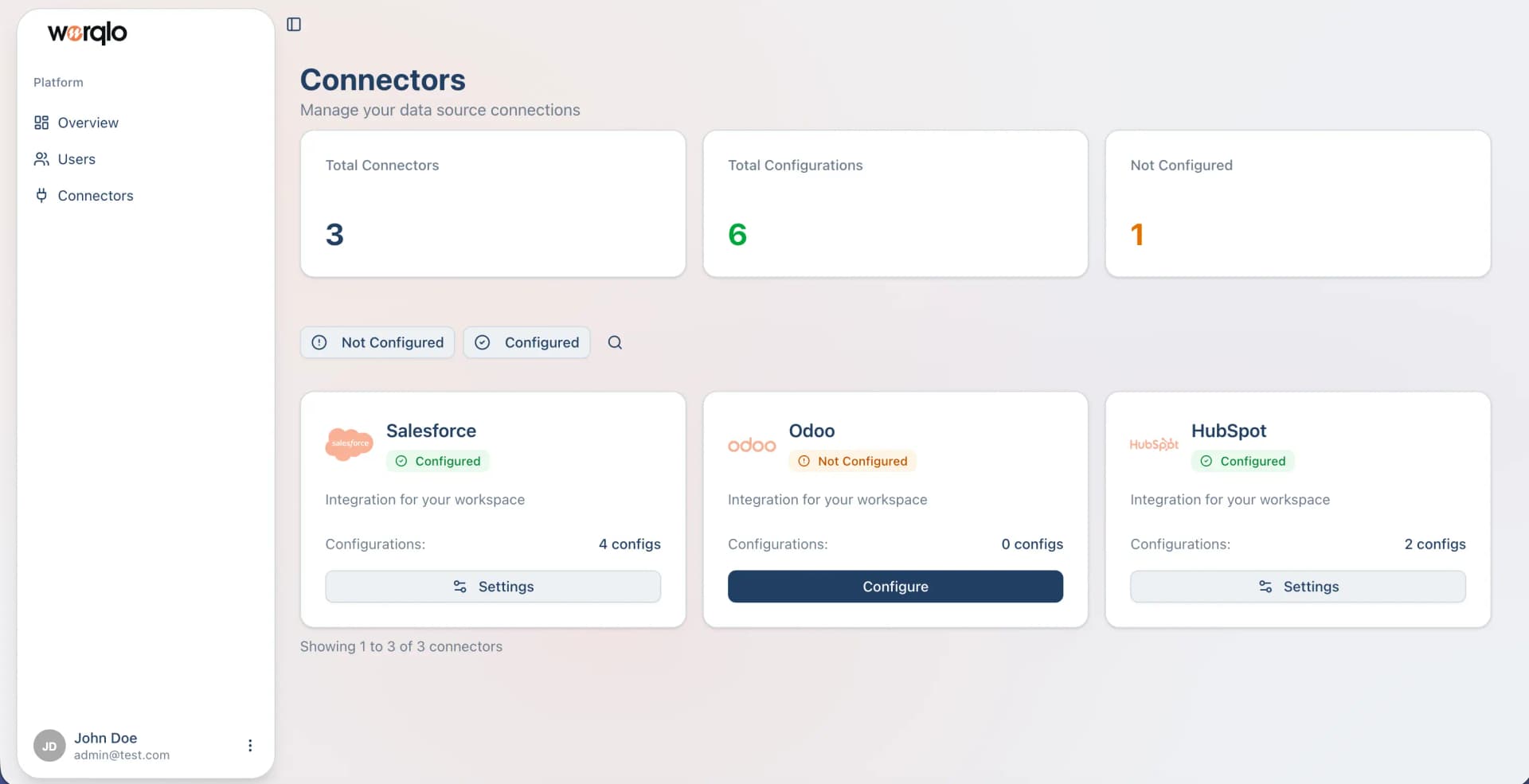
Connector Status
- Configured (green) - Connector is set up and ready to use
- Not Configured (orange) - Connector needs to be configured
Viewing Connector Details
- Click on a connector card (e.g., Salesforce)
- You’ll see the connector details page
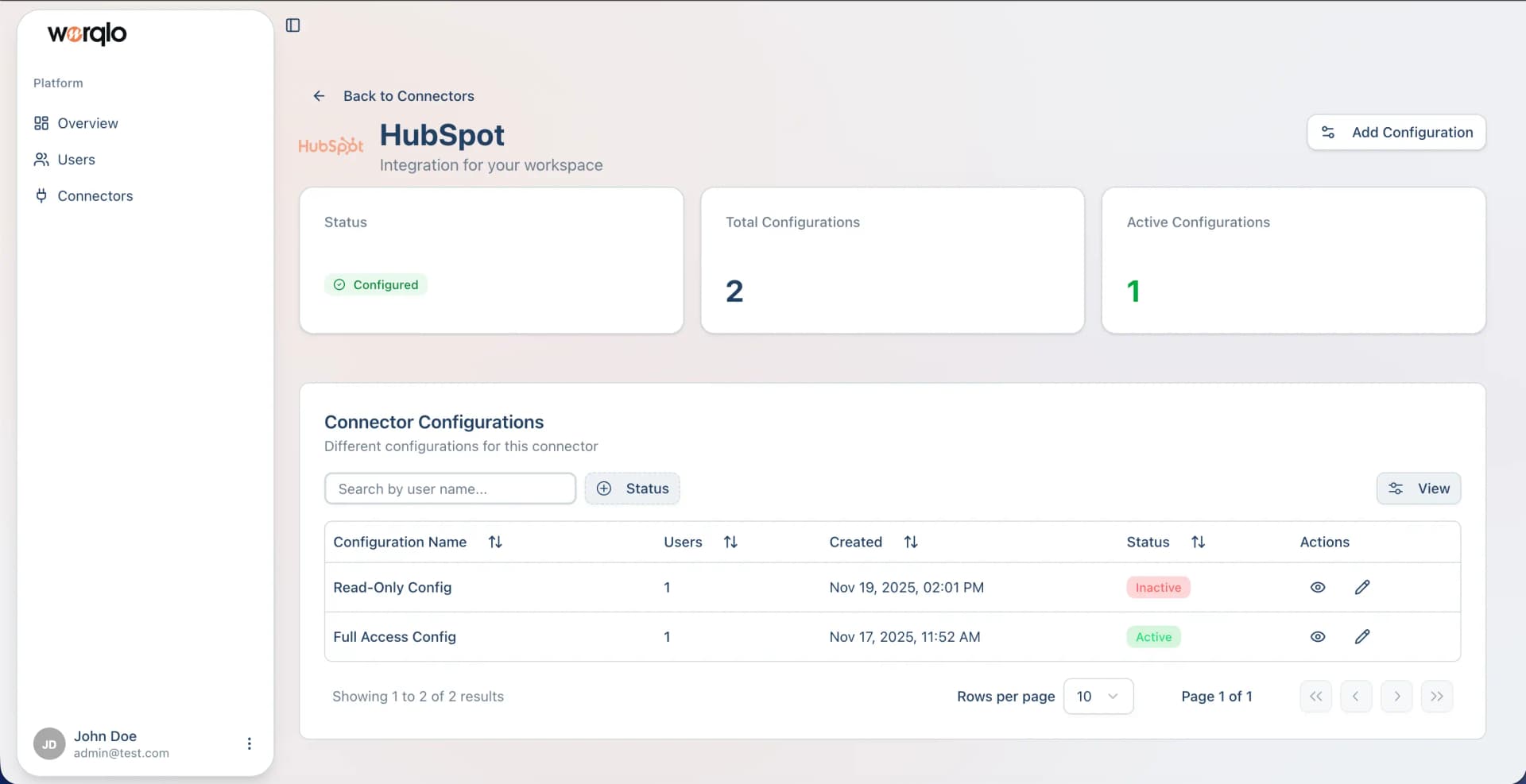
Connector Summary
The details page shows:
- Status - Whether the connector is configured
- Total Configurations - Number of configurations created
- Active Configurations - Number of currently active configurations
Creating a Configuration
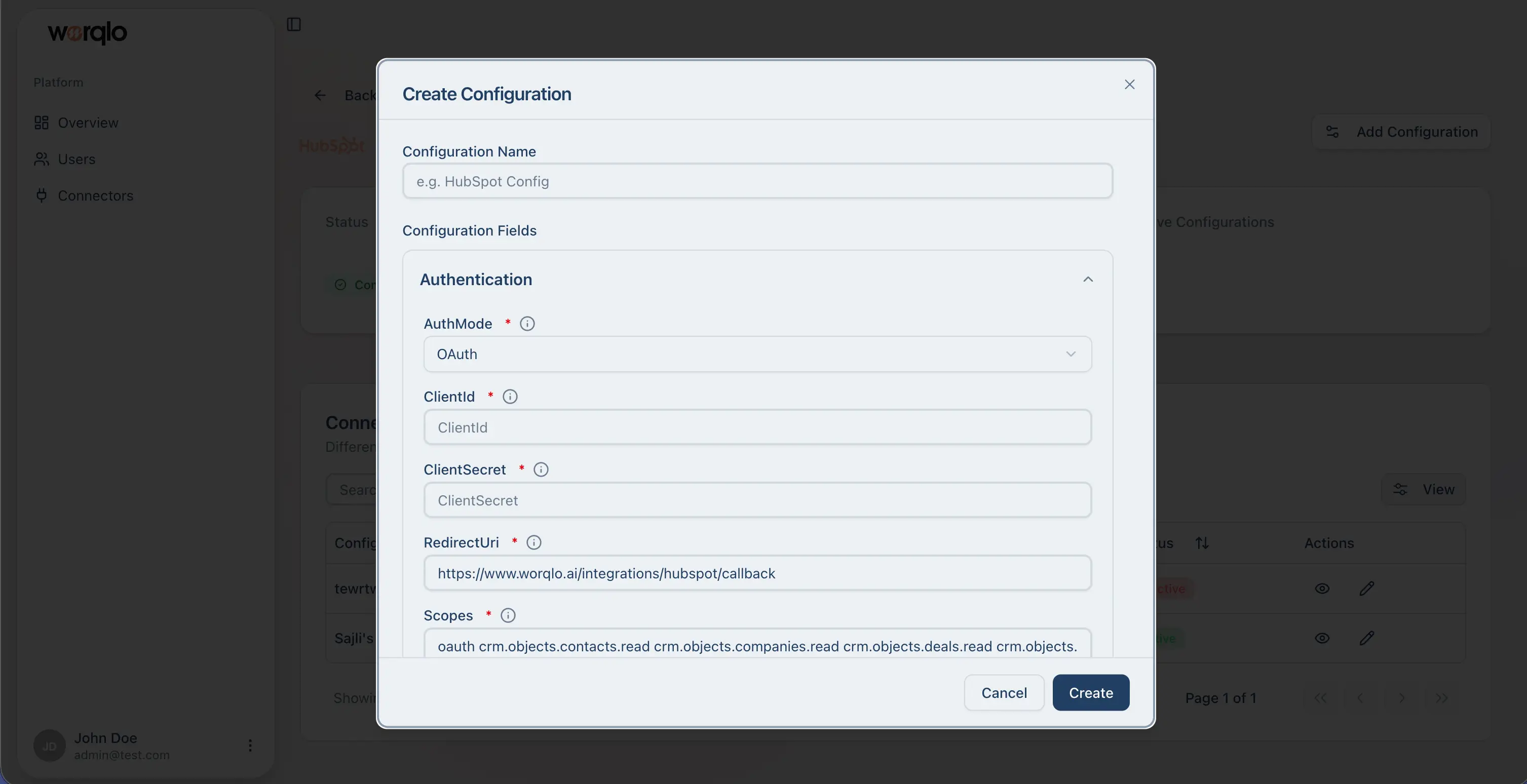
- Click Add Configuration button
- A modal form will appear
-
Fill in the configuration details:
Configuration Name:
- Enter a descriptive name (e.g., “Salesforce Production”)
Authentication:
- AuthMode - Select OAuth or other authentication method
- InstanceUrl - Your Salesforce instance URL
- ClientId - Your OAuth client ID
- ClientSecret - Your OAuth client secret
- AuthType - Authentication type
Active:
- Toggle to enable/disable the configuration
Assign Users:
- Select which users can access this configuration
- Check “Select all users” to assign to everyone
-
Click Create
Managing Configurations
The configurations table shows:
- Configuration Name - Name you assigned
- Users - Number of users with access
- Created - Creation date and time
- Status - Active (green) or Inactive (red)
- Actions - View (eye icon) and Edit (pencil icon)
Activating/Deactivating
- Click the Edit icon to modify a configuration
- Toggle the Active status to enable or disable
Supported Connectors
Worqlo supports various connectors including:
- Salesforce - CRM data and sales information
- HubSpot - Marketing and sales data
- Odoo - ERP and business management
- And more…
Last updated on